Python Made Easy: Your Thrilling First Step to Coding Success!
At Vista Systech Limited, we believe in the power of knowledge. Our mission is to provide clear, actionable content for anyone looking to get started with programming and coding. Whether you’re looking to switch careers, dive deeper into tech, or just pick up a valuable new skill, you’ve come to the right place.
In this first blog post, we’ll help you take the first step into the world of programming. The first language we’ll explore is Python, a versatile and beginner-friendly language that’s perfect for anyone looking to get started with coding. Python’s simplicity and readability have made it a top choice for everyone from beginners to advanced developers.
Let’s dive in!
Why Learn Python in 2026?
Python remains one of the most popular and in-demand programming languages in 2026. But why is it so highly recommended for beginners? Here are a few reasons:
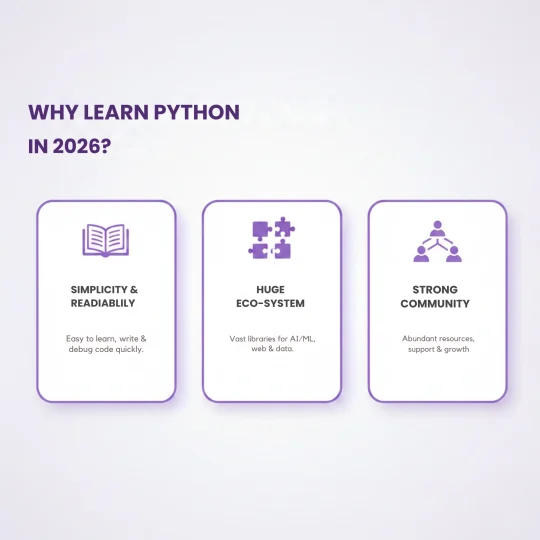
- Simplicity and Readability: Python’s syntax is easy to understand and very close to the English language. If you’ve never coded before, Python is a perfect first step.
- Huge Ecosystem: Python has an extensive set of libraries and frameworks that you can use for web development, data science, automation, machine learning, and more.
- Strong Community: Python has a massive, supportive community. That means no matter what problem you run into, there’s a solution out there.
Whether you’re building your first website, analyzing data, or automating simple tasks, Python has the tools to help you succeed.
- Simplicity and Readability: Python’s syntax is easy to understand and very close to the English language. If you’ve never coded before, Python is a perfect first step.
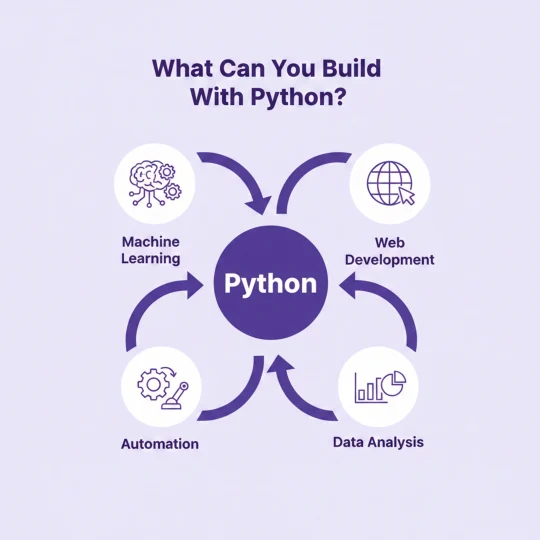
- Huge Ecosystem: Python has an extensive set of libraries and frameworks that you can use for web development, data science, automation, machine learning, and more.
- Strong Community: Python has a massive, supportive community. That means no matter what problem you run into, there’s a solution out there.
Whether you’re building your first website, analyzing data, or automating simple tasks, Python has the tools to help you succeed.
Getting Started: Installing Python and Setting Up Your Development Environment
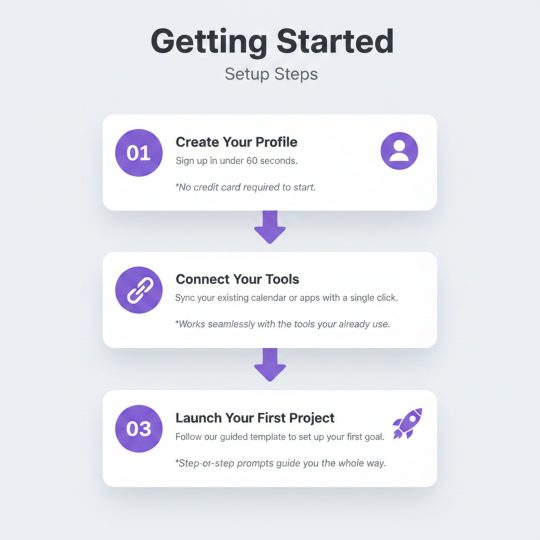
Before we start coding, you’ll need to set up your development environment. Don’t worry—it’s much easier than it sounds.
Step 1: Install Python
First, download Python from the official website python.org. Make sure to install the latest version for your operating system (Windows, macOS, or Linux).
Once downloaded, follow the installation instructions:
- Windows: Make sure to check the box that says Add Python to PATH during installation.
- macOS: Python is pre-installed on macOS, but you can download the latest version to get access to new features.
- Linux: Python should be pre-installed. You can check by running python3 –version in your terminal.
Step 2: Choose an IDE or Code Editor
An IDE (Integrated Development Environment) or code editor helps you write and organize your Python code. For beginners, we recommend VS Code or PyCharm.
- VS Code: A lightweight, free code editor with lots of features. You can install it here.
- PyCharm: A full-fledged Python IDE, especially if you plan to write larger projects. It’s free for basic use, but also has a premium version. Download it here.
Writing Your First Python Program: “Hello, World!”
Now that you’ve set up your environment, let’s write your first Python program. Don’t worry, it’s a simple one.
- Open your IDE (VS Code or PyCharm).
- Create a new file and name it hello_world.py.
- Type the following code:
print(“Hello, World!”)
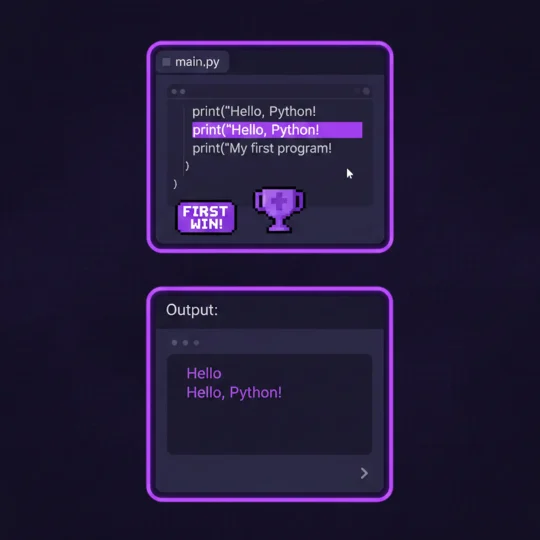
- Save the file and run it:
- In VS Code, open the terminal (View > Terminal), and type python hello_world.py.
- In PyCharm, just hit the green Run button.
When you run the program, it should display:
Hello, World!
Congrats! You just wrote your first Python program. This is the classic “Hello, World!” program, and it’s a great way to test that everything is set up properly.
Understanding the Basics: Variables and Data Types
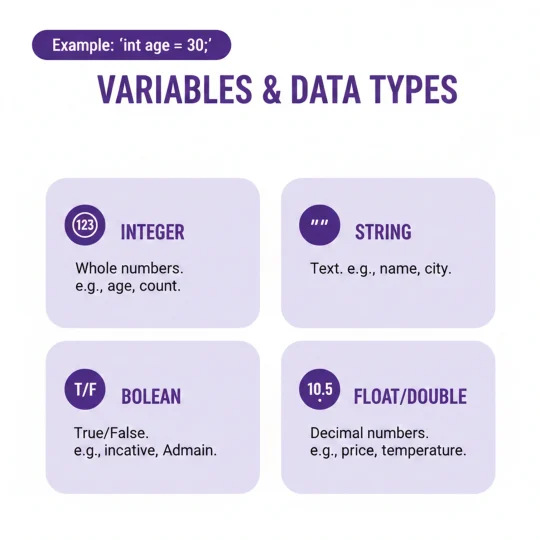
Before we dive into more complex code, let’s first take a look at variables and data types—the building blocks of any programming language.
Variables
In Python, a variable is simply a name that refers to a value. For example:
name = “Alice”
age = 25
Here, name is a variable that stores the value “Alice”, and age stores the value 25.
Data Types
Python has several data types that we use to represent different kinds of information. Some common ones include:
- Strings: Text (e.g., “Alice”, “Hello World”)
- Integers: Whole numbers (e.g., 25, 100)
- Floats: Decimal numbers (e.g., 3.14, 0.99)
- Booleans: True or False values (e.g., True, False)
Here’s a quick example:
name = “Alice” # String
age = 25 # Integer
height = 5.7 # Float
is_student = True # Boolean
Control Flow: Making Decisions in Your Code
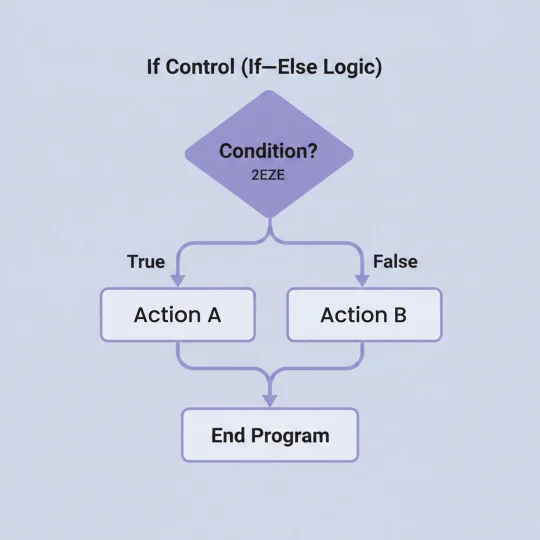
Python also lets you make decisions with if statements. Here’s how it works:
age = 25
if age >= 18:
print(“You are an adult.”)
else:
print(“You are a minor.”)
In this example, the program checks if the age variable is greater than or equal to 18. If it is, it prints “You are an adult.” If not, it prints “You are a minor.”
Best Practices: Writing Clean Code
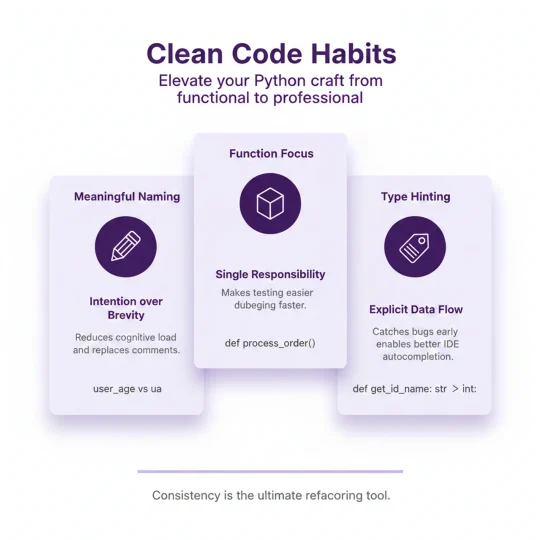
Here are a few best practices that will help you as you continue learning and writing Python code:
- Use meaningful variable names: Instead of x, y, or temp, name your variables so that anyone reading your code can understand what they represent.
- Follow PEP 8: This is the official Python style guide. It ensures that your code is readable and consistent with the wider Python community.
- Comment your code: Add comments to explain what your code is doing, especially when it’s more complex.
Example:
# This is a simple Python program to greet the user
name = “Alice”
print(“Hello, ” + name) # Concatenate the string with the name
What’s Next?
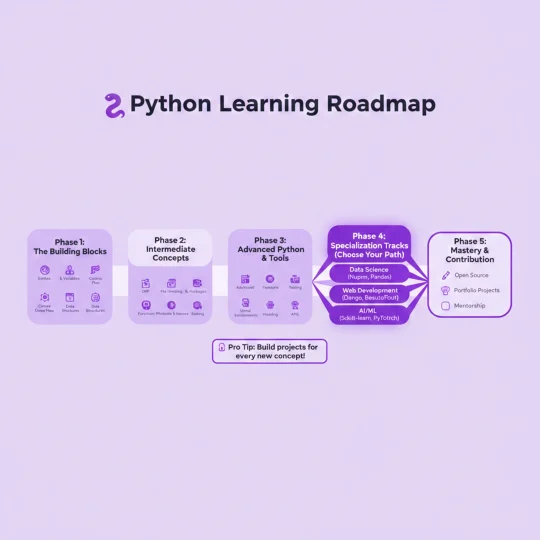
Now that you’ve got the basics down, we’ll dive deeper into Python in our next post. We’ll explore functions, loops, and how to work with external libraries to make your projects even more powerful.
Stay tuned for more content, and remember—learning programming is a marathon, not a sprint. Keep practicing, keep experimenting, and soon enough, you’ll be building your own projects!
Join the Vista Systech Learning Community
We’d love to hear from you! Share your thoughts, ask questions, and let us know how you’re progressing with Python in the comments below. Don’t forget to follow us on Twitter and LinkedIn to stay up-to-date with all our latest posts.
Stay Curious. Keep Coding.
Vista Systech Limited is here to help you every step of the way.
Have a project like this?
We help teams turn ideas like the one above into shipped, dependable software. Let’s talk.
Start a project