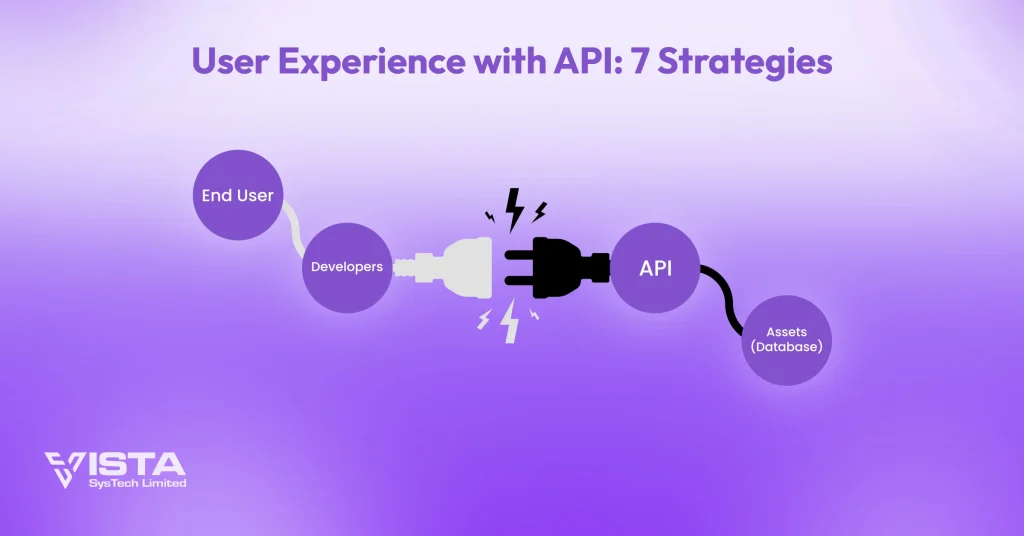
Today, delivering a great user experience with API integration is key to app success. APIs connect functionality with user happiness. Companies that focus on user experience with API see 89% more engagement and 62% better retention.
The API management market reached $8.86 billion in 2025 and is projected to grow at 16.83% annually to reach $19.28 billion by 2030, according to Mordor Intelligence. This demonstrates how important API-driven experiences are. Whether you build mobile apps, web platforms, or business software, optimizing user experience with API makes a huge difference.
This guide shares proven strategies and real examples. You’ll learn how to create API-driven experiences users love.
The best APIs feel invisible. Users don’t think about them. They just work. That’s the goal. Your app feels natural and responsive. Data appears when needed. Actions complete instantly. This seamless experience builds trust and loyalty.
Think about apps you use daily. Spotify syncs playlists across devices. Netflix remembers where you stopped watching. Banking apps update balances in real-time. These experiences depend on well-designed APIs. The user experience with API determines success.
Why User Experience with API Matters
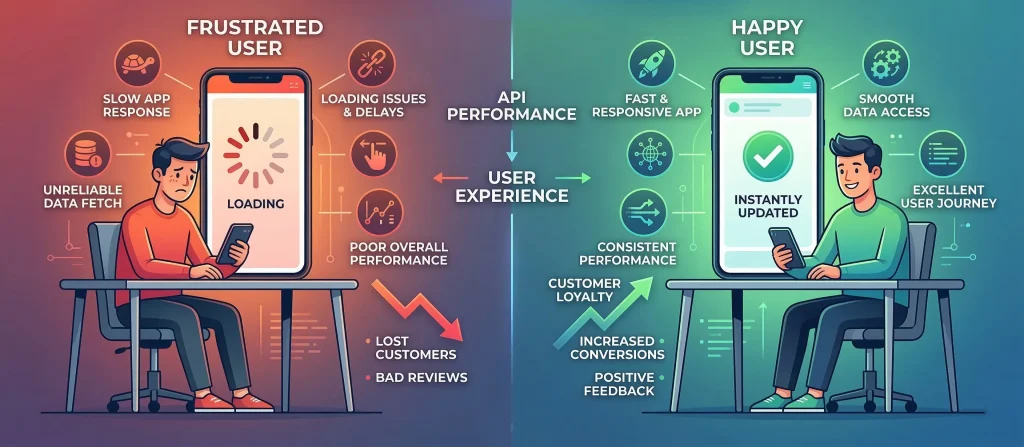
APIs power 83% of web traffic today. Yet many companies struggle to turn technical power into great user experiences. When API functionality doesn’t meet user needs, customers leave.
Your API is your product’s backbone. It connects front-end interfaces to back-end systems. It handles authentication, data processing, and business logic. A slow or buggy API ruins everything. Users blame your app, not the API. They see delays and errors as product failures.
Competition is fierce. Users have many options. They switch apps quickly. A bad API experience loses customers forever. They won’t give second chances. First impressions matter. Your API must deliver from day one.
The Cost of Poor API UX
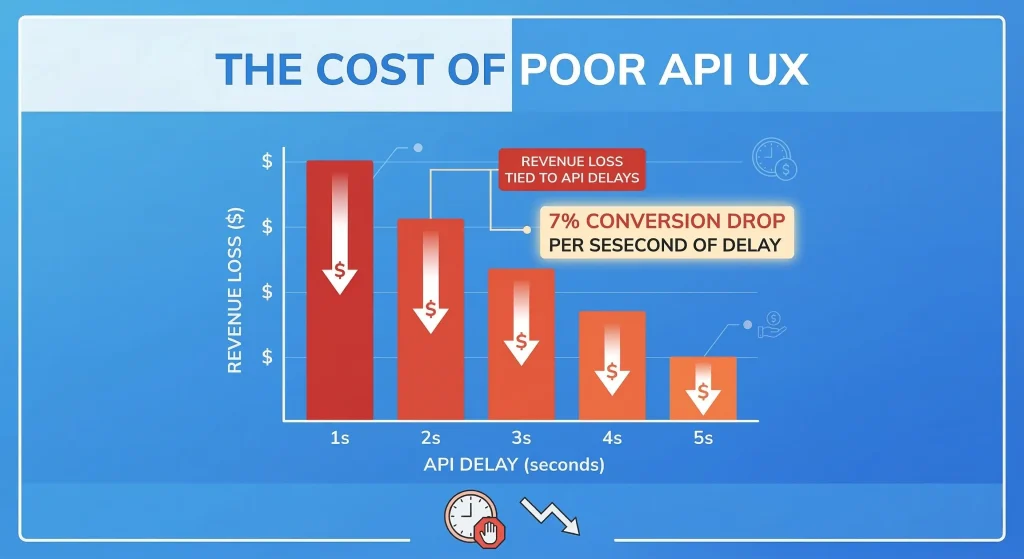
Every second of API delay cuts conversions by 7%. Slow loading, confusing errors, and broken experiences drive users away. Fortune 500 companies lose $1.6 billion yearly because of this.
TechTarget’s 2025 report shows 95% of companies faced API security issues last year. Attacks will increase tenfold by 2030. Good user experience with API design creates secure, easy interactions that empower users.
Poor API experiences affect your bottom line. Users expect fast, smooth interactions. When they don’t get them, they switch to competitors. Modern users won’t tolerate slow apps or confusing interfaces.
The solution? Focus on user experience with API from day one. Build with users in mind. Test early and often. Listen to feedback. This approach saves money and keeps customers happy.
Consider the mobile shopping experience. Users browse products on their phones. They add items to cart. Then they switch to desktop to complete purchase. If the cart doesn’t sync instantly, they abandon it. That’s lost revenue from poor API design.
7 Strategies for Better User Experience with API
1. Make It Fast
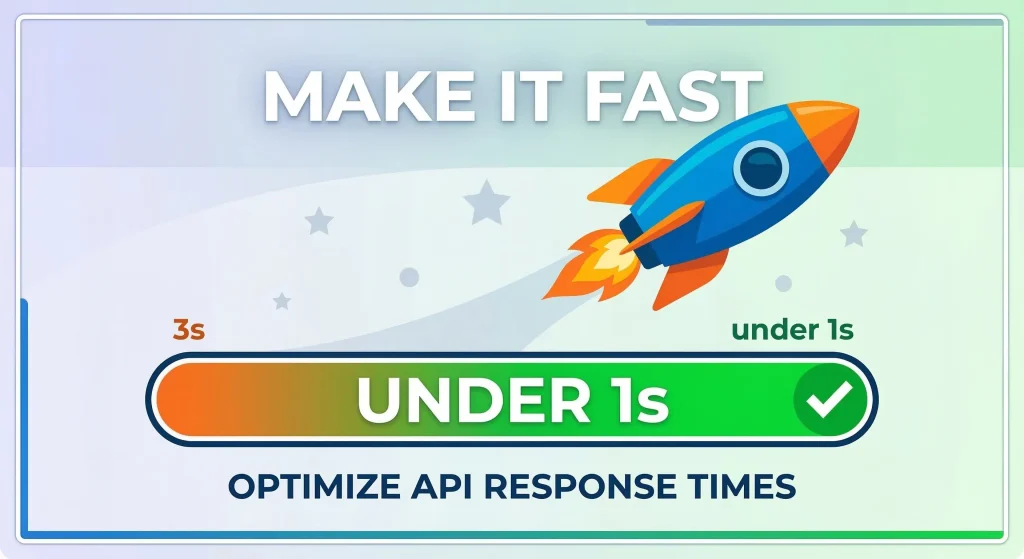
Speed matters when you optimize user experience with API calls. Users want instant responses. Any delay feels too long.
How to Speed Up APIs:
• Use caching to avoid repeat API calls
• Load data only when users need it
• Request only essential data
• Use CDN for global users
• Enable compression to shrink data
Real results: Online stores cut API response from 3 seconds to under 1 second. They saw 25% more completed purchases.
Fast APIs keep users engaged. Slow APIs lose customers. Every millisecond counts in the digital world. Users expect instant gratification. Give it to them.
Caching works wonders for speed. Store frequently accessed data locally. This cuts server requests by 70%. Users see instant results. Product catalogs, user profiles, and settings are perfect for caching. Update them only when data changes.
Lazy loading is equally powerful. Load content as users scroll. Don’t fetch everything upfront. Instagram and Facebook use this approach. They load initial posts fast, then fetch more as you scroll. Users see content instantly. The app feels responsive.
2. Show Clear Error Messages
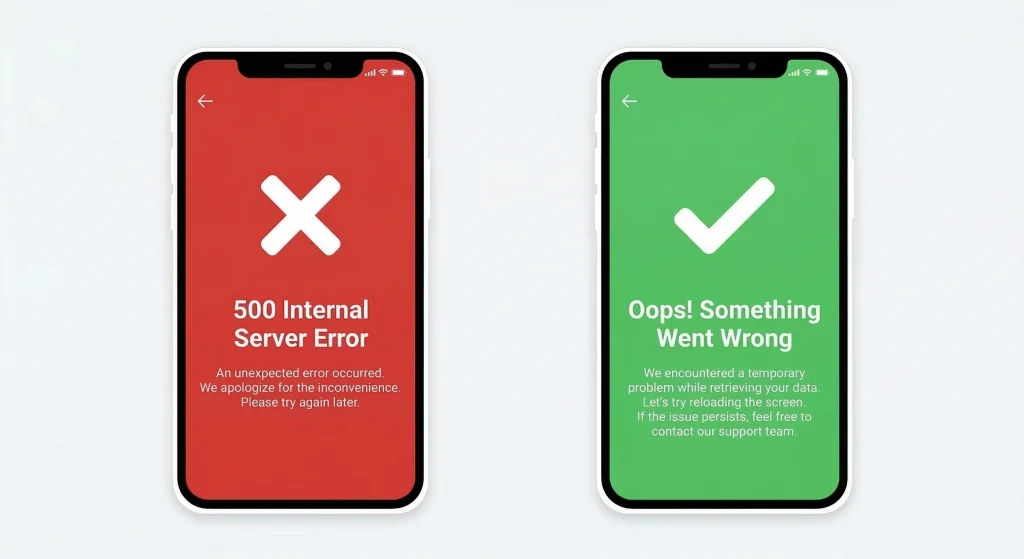
Nothing annoys users more than confusing errors. Good user experience with API error handling turns problems into solutions.
Don’t show: ‘500 Internal Server Error’. Instead show: ‘High traffic detected. We’ll process your request in 2 minutes. We’ll email you when done. You can close this window.’
Error Message Tips:
• Use simple, friendly words
• Tell users what to do next
• Auto-retry when possible
• Show progress bars
Clear errors build trust. Users appreciate honesty. They want to know what went wrong and how to fix it. Don’t hide behind technical terms. Speak human.
Context matters in error messages. ‘Payment failed’ tells nothing. ‘Payment failed: Card declined. Try a different card or contact your bank’ gives users a clear path forward. They know exactly what to do next.
3. Easy Login
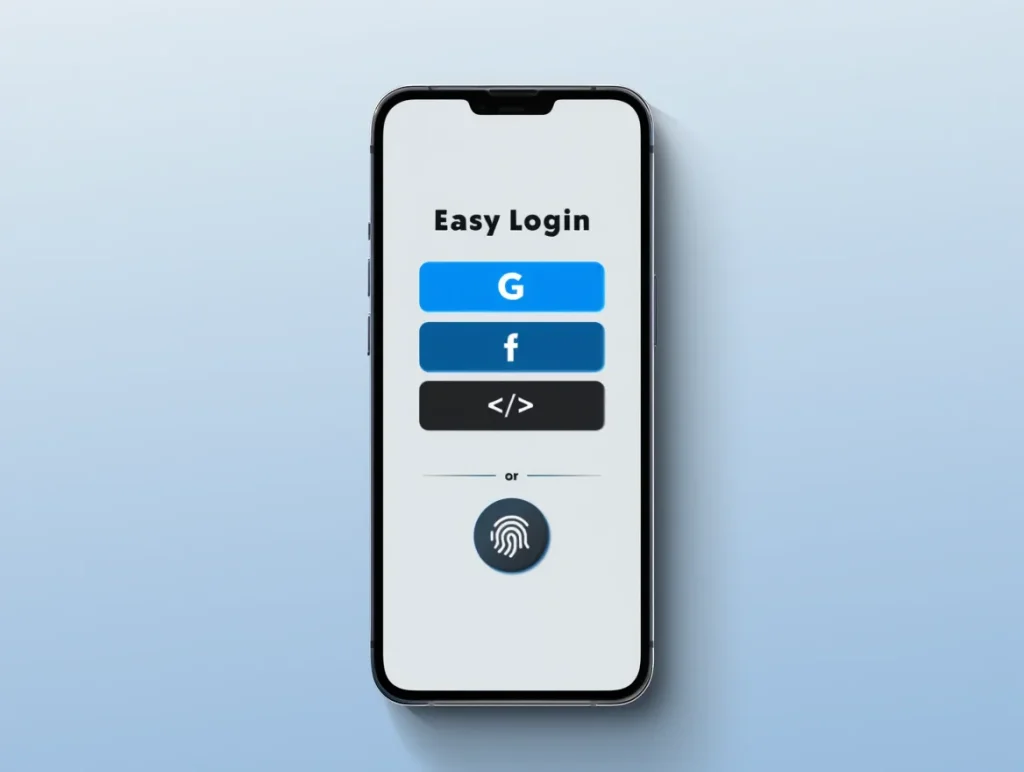
Login can make or break user experience with API. Modern users want easy access across all devices.
OAuth 2.0 and social login cut signup friction by 60%. Users log in with Google, Facebook, or GitHub accounts. No new passwords needed. OAuth 2.0 keeps credentials secure.
Login Checklist:
• Offer multiple login options
• Refresh tokens automatically
• Warn before sessions expire
• Add biometric options for mobile
Easy login means more signups. Complex login means lost users. Keep it simple. One-click social login works best. Users already trust these platforms.
Balance security with convenience. Two-factor authentication protects accounts. But don’t ask for it every login. Remember trusted devices. Let users choose their security level. Power users want maximum protection. Casual users want speed.
4. Personalize Content
APIs gather and process user data well. Smart use transforms user experience with API-driven personalization.
Netflix’s recommendation engine creates 80% of watched content. It analyzes viewing patterns and preferences. This keeps users engaged.
Personalization Tips:
• Track preferences responsibly
• Customize content and recommendations
• Save settings across devices
• Suggest based on history
Personalization shows you care. Users feel valued when you remember their preferences. They return more often. They spend more time on your platform. This builds loyalty.
Start small with personalization. Remember language preferences. Save timezone settings. Show recently viewed items. These simple touches make big impacts. Users notice when apps remember their choices.
Advanced personalization uses machine learning. Amazon suggests products based on browsing history. YouTube recommends videos based on watch time. These systems learn constantly. They improve with every interaction. The user experience with API gets better over time.
5. Work Across All Devices
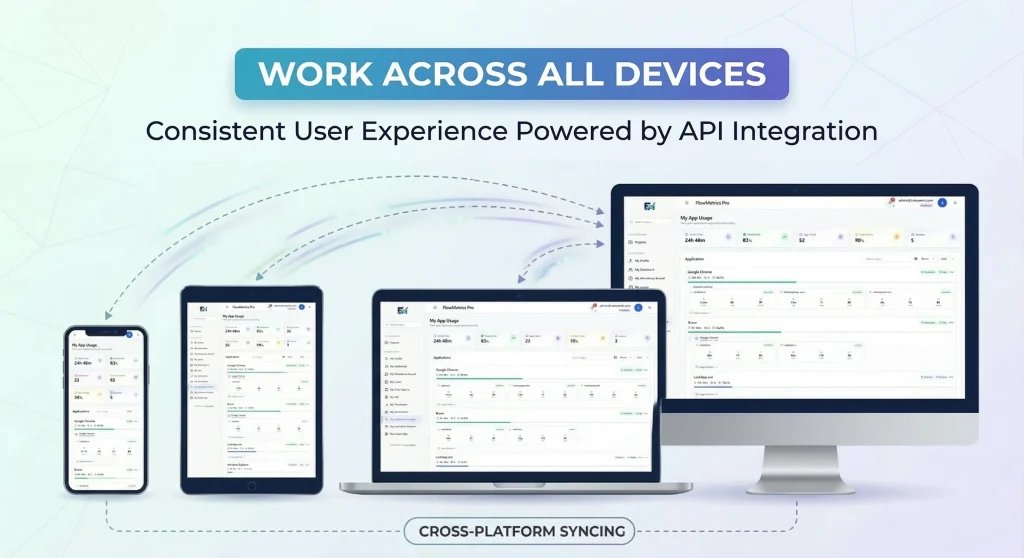
Users access apps on many devices. Good user experience with API means smooth switches between mobile, web, and desktop.
A good API keeps data consistent. It works on all platforms. Each interface gets the right optimization.
Cross-Platform Tips:
• Same features on all platforms
• Sync user data in real-time
• Adapt to each platform style
• Test on all devices
Cross-platform consistency builds trust. Users expect the same experience everywhere. Don’t disappoint them. Test thoroughly on every device and browser.
6. Work Offline Too
Internet isn’t always available. Great user experience with API design works offline too.
Progressive Web Apps cache important data. Users keep working without internet. When connection returns, everything syncs automatically.
Offline Tips:
• Cache data locally
• Queue requests when offline
• Show offline indicators
• Enable core features offline
Offline support shows you think ahead. Users appreciate apps that work anywhere. Don’t assume perfect connectivity. Plan for the worst.
Mobile users frequently lose connections. Subways, elevators, and remote areas kill signals. Your app should handle this gracefully. Let users read content offline. Let them compose messages. Queue their actions. Sync when online. Gmail and Pocket do this perfectly.
7. Document Everything
Good documentation affects user experience with API features. Well-documented APIs mean better features and fewer bugs.
Stripe’s API docs set the standard. They offer personalized code examples and interactive testing. Clear errors help developers build correctly the first time. This means better user experiences.
For users, show what’s happening. Loading states and progress bars build trust. Success messages confirm actions worked.
Documentation saves time and money. Developers implement features faster. Users get better products. Everyone wins with clear documentation.
Real Success Stories
Spotify
Spotify lets users start music on their phone, continue on desktop, and finish on smart speakers. No interruptions. This smooth user experience with API keeps 456 million users engaged across platforms.
Spotify’s success proves APIs work. Users love seamless experiences. They stay loyal when everything just works. This is the power of good API design.
Spotify’s API handles millions of requests per second. Their caching strategy reduces server load by 80%. Real-time sync happens within milliseconds. This technical excellence creates magical user experiences. Users think it just works. Behind the scenes, complex systems coordinate perfectly.
Stripe
Stripe’s payment APIs are famous for great developer experience. This means better user payment flows. Their APIs handle complex processes. Users see simple, easy checkouts. Result: 3.5 million websites trust Stripe. They process $640 billion yearly.
Stripe shows how developer experience affects user experience. Happy developers build better features. Better features mean happier users. It’s a win-win cycle.
Vista Systech Limited helped Lumiere Solutions transform its manual workflow through custom API integration. Processing time dropped from 4-5 days to just 1 day—an 80% reduction. This shows how professional services transform user experience with API optimization.
Before the integration, everything was collected through WhatsApp and tracked manually. Data had to be manually shared with clients again and again. Now, all data is stored in one centralized location with complete visibility. Every action is properly tracked, and the workflow is much more user-friendly, requiring significantly less mental effort from the team.
Custom integration solves unique problems. Vista Systech proved APIs can revolutionize operations. The right partner makes all the difference. What used to be a tedious, multi-day process is now streamlined into a single day, giving the team more time to focus on high-value tasks instead of repetitive manual work.
Mistakes to Avoid
Even good teams make mistakes with user experience with API solutions. Avoid these issues:
1. Getting Too Much Data: Request only what you need. Extra data slows responses. Use GraphQL or specific endpoints.
2. Ignoring Limits: Exceeding rate limits frustrates users. Use proper throttling and queues.
3. Bad Error Handling: Errors leave users stuck. Always show clear next steps.
4. Weak Security: Poor authentication kills trust. Use HTTPS, OAuth 2.0, and encryption.
5. Breaking Changes: Version changes without notice anger users. Keep backward compatibility.
Learn from others’ mistakes. Don’t repeat them. Plan ahead. Test thoroughly. Listen to users. Fix problems quickly.
Set up monitoring to catch problems early. Track error rates, response times, and usage patterns. Alert your team when metrics spike. Fix issues before users complain. Proactive monitoring prevents disasters.
How to Measure Success
Track these metrics to know if your user experience with API strategies work:
• Response Time: Target under 200ms
• Error Rate: Keep below 0.1%
• User Engagement: Track time spent and return visits
• Conversion Rate: Monitor how performance affects goals
• Satisfaction Score: Use surveys and NPS
Metrics tell you what works. They show where to improve. Track them weekly. Adjust based on data. Don’t guess—measure.
Create dashboards for key metrics. Share them with your team. Everyone should see performance data. This creates accountability. Teams work harder when they see results. Good metrics drive improvement.
Compare metrics over time. Look for trends, not just snapshots. A single bad day doesn’t matter. Consistent problems need attention. Weekly reviews catch issues early. Monthly reports show progress. Quarterly analysis reveals patterns.
Future of API User Experience
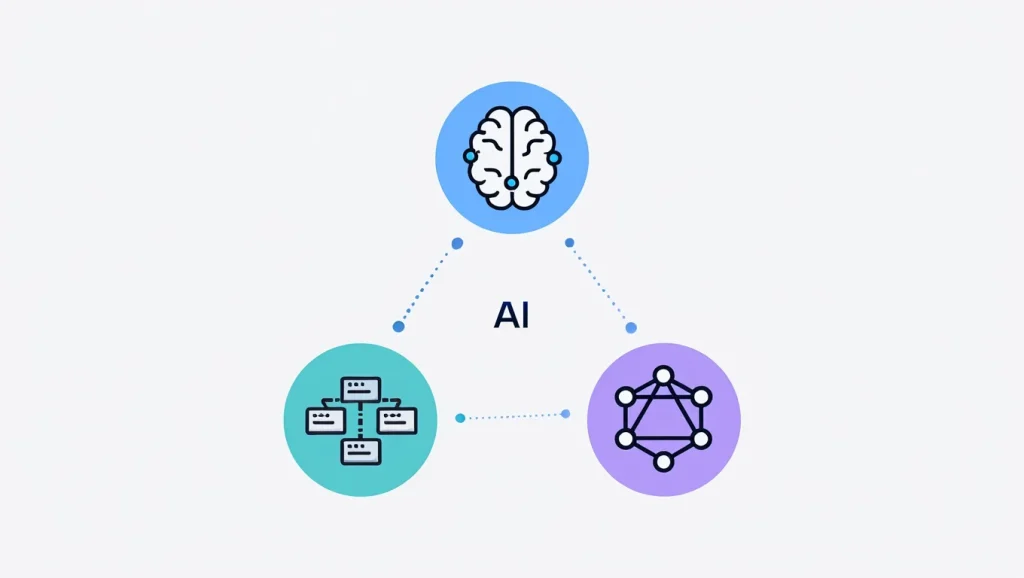
APIs evolve fast. Postman’s 2025 State of the API Report surveyed over 5,700 developers and reveals that 89% of developers now use generative AI in their daily work. Only 24% design APIs specifically for AI agents, showing a major gap between AI adoption and AI-ready API design Postman. Here’s what’s coming:
AI Makes Things Personal
Machine learning will optimize user experience with API in real-time. Expect smart loading, intelligent caching, and interfaces that learn from you.
AI is already transforming development, with 68% of developers using it to improve code quality, 56% to find mistakes, and 41% to generate API documentation. AI changes everything. It predicts what users want. It loads content before users ask. It makes experiences feel magical. This is the future.
AI Agents as API Consumers
51% of organizations have already deployed AI agents, with another 35% planning to do so within two years. AI agents don’t just assist—they act autonomously, calling APIs at machine speed. This introduces new security challenges. 51% of developers cite unauthorized agent access as their top security risk.
APIs must be designed with AI agents in mind. Machine-readable schemas, predictable patterns, and comprehensive documentation will determine which APIs integrate successfully with AI systems.
GraphQL Growth
GraphQL lets clients request exactly what they need. No extra data. This speeds up performance and improves user experience.
GraphQL solves over-fetching problems. Users get faster apps. Developers write cleaner code. Everyone benefits from this approach.
Serverless Takes Over
Serverless means faster deployment and automatic scaling. Lower latency helps users. This infrastructure change benefits everyone.
Serverless reduces costs and complexity. Teams focus on features, not servers. Users get better apps faster. It’s a game changer.
Edge Computing Spreads
Processing data closer to users cuts latency dramatically. Edge-deployed APIs will become standard for fast apps.
Edge computing brings apps to users. Instead of sending data far away, it processes nearby. This means instant responses. Users love speed.
APIs Drive Revenue
65% of organizations now generate revenue from their API programs, proving that APIs have become profit drivers, not just technical infrastructure. API monetization is becoming a core business strategy.
Put Users First
Great user experience with API integration is essential now. Companies that build fast, easy API-driven experiences win customer loyalty and grow.
Start by checking your current APIs against these seven strategies. Find quick wins like better error messages or caching. Then tackle bigger projects like cross-platform work and offline features.
Remember: every API call is a chance to delight users. Make them happy. Build trust. Create experiences they love. Success follows.
The future belongs to companies that put users first. APIs are tools, but users are the goal. Never forget that. Build for people, not just technology.
Don’t wait to improve your API user experience. Start today. Pick one strategy from this guide. Implement it this week. Measure results. Then move to the next strategy. Small improvements compound over time. Your users will notice. Your business will grow.